


I recommend IVPN, with two warnings: it is expensive, and it is not a streaming VPN. If you want a small, independently run service that you can sign up for without an email address, it is one of the few I would put my name on. If you want cheap, or Netflix in 40 countries, skip it.
IVPN Limited, registered in Gibraltar, has run the service since 2009 under the same ownership. Its apps are open source. It commissions a yearly Cure53 security audit and has published eight since 2019, the latest one in November 2026. And a Cure53 audit checked its no-logs claims, although that one dates from 2019.
The case against it: a small network, no port forwarding, a rough August 2026 incident on its Bitcoin payment server, and a high price. Next to Mullvad's flat €5 a month, it looks pricey.
This review is based on IVPN's own pages, the audit reports, and my own published material: my best VPN roundup and my IVPN settings guide. Prices and facts were checked in November 2026.
Quick verdict
- Who it is for: privacy-minded people who want anonymous sign-up (no email, an account number only), cash or Monero payment, open-source apps and published audits.
- Who should skip it: people who want streaming, torrenting with port forwarding, a big server list, or the lowest price.
- Price: $60 a year for Standard, $6 a month. There are no first-year discounts, so the renewal price is the same as the first payment.
- Refund: 30 days, once per account. Cash and voucher payments cannot be refunded.
- My verdict: recommended for privacy. Not my pick for streaming or budget.
1. Why I recommend it: privacy you can check
In my roundup I describe IVPN as "a premium privacy-focused provider that deserves more attention." I wrote that it is based in Gibraltar, has open-source apps and independent audits, lets you sign up without an email address, accepts cash and Monero, and publishes transparency reports. I also wrote that multi-hop is built in, WireGuard is the default, and V2Ray obfuscation helps with censorship. I still hold that view.
The sign-up is the part I like most. You get a generated Account ID, and that is your login. IVPN says the apps are open source, so anyone can read the code, and the desktop app is released under GPLv3. Payment works with cash, Monero, Bitcoin, card, PayPal, Google Pay or voucher.
One limit to keep in mind: a VPN does not make you anonymous. As I say in my roundup, it hides your traffic from your internet provider and changes your IP address. If you log into Google while connected, Google still knows who you are.
2. Audits: yearly, but the no-logs audit is from 2019
"Audited" on a VPN homepage can mean very different things, so here is what was audited and when.
| Audit | Scope | Source |
|---|---|---|
| Cure53, 2019 | No-logging claims in the privacy policy | Report |
| Cure53, 2023 | VPN gateway server and server OS setup | Report |
| Cure53, 2024 | Customer website UI and API, web servers | Report |
| Cure53, July 2026 (8th audit) | Unlinked Access, the system behind Mailx, modDNS and Portmaster on Plus and Pro Suite | IVPN blog post |
IVPN audits itself every year, which is a better habit than most VPNs have. But the audit that tested the no-logs claim is seven years old. IVPN's audit pages describe the later audits as security audits of specific systems, not as no-logs audits. IVPN has said it will not commission further no-logs audits, because it sees them as a snapshot in time. That is a defensible position. It also means you are trusting the open-source code, the yearly pentests and the company's track record, not a fresh no-logs stamp.
Compare that with the providers in my roundup that repeat no-logs audits, such as NordVPN and Proton VPN. If a recent no-logs audit is your top requirement, see my NordVPN review or the full roundup.
3. August 2026: the Bitcoin payment server incident
IVPN's own account of the incident says that on 7 August 2026 an attacker used a flaw in BTCPay Server, the software behind its Bitcoin payments. The flaw let an unauthenticated attacker read files from the server, and it was already being exploited before BTCPay disclosed it. The attacker took IVPN's Lightning node credentials, closed its channels and moved 0.6168 BTC out in two transactions.
What IVPN says was not affected: the VPN servers, the customer database (on separate infrastructure), account logins, and customer funds, because the stolen Bitcoin was IVPN's own operating balance. It says no customer data was accessed. Lightning payments were off from 7 to 10 August, while card, PayPal, Monero and on-chain Bitcoin kept working. IVPN also thinks it was random scanning of public BTCPay servers, not a targeted attack. Those are IVPN's statements, and I have not seen an independent report that confirms or contradicts them.
A payment system was breached, the VPN was not, and the company published details quickly. I count that as a mark against, but a small one. It would weigh far more if customer data had been involved, and by IVPN's account it was not.
4. Ownership and jurisdiction
IVPN is run by IVPN Limited in Gibraltar. It says it has operated since 2009 under the same ownership, and it links to a team page. That matters to me, because my roundup warns about parent companies: ExpressVPN, CyberGhost and Private Internet Access all belong to Kape Technologies, and NordVPN and Surfshark share Nord Security. IVPN is not part of a group like that.
Jurisdiction is less clear-cut than review sites make it. Some reviews say Gibraltar sits outside the main intelligence-sharing alliances, while others disagree on how to classify it. As I put it in my roundup, a no-logs policy is only as strong as the legal environment it operates in. Gibraltar is a small jurisdiction. Weigh that yourself, and treat it as a risk factor, not as proof of anything.
The no-logs claim has also not been tested in public by a court case or a server seizure. Mullvad's was, when Swedish police left its office empty-handed, as I describe in my roundup.
5. Speed
IVPN is not in the speed retention tables in my roundup, so I have no figure for it. The general picture from that roundup still applies: "For users on connections below 100 Mbps (common across much of Europe), every VPN on this list will feel fast enough for daily use. Speed differences become noticeable mainly on 300+ Mbps connections or when connecting to another continent."
Two settings change speed in IVPN. Multi-hop sends your traffic through two servers, so it is slower than a single hop. I keep it for sensitive work. My settings guide says the same about V2Ray obfuscation, which makes the connection look like normal web traffic but slows it down. Top10VPN measured a 45% speed drop on IVPN's obfsproxy obfuscation, as I note in the guide.
6. Features that matter
- WireGuard by default: fast and modern. OpenVPN is there for networks that only allow TCP. IVPN also lists IPsec for other clients.
- Daily key rotation: WireGuard uses a fixed key per device, which could link sessions together. IVPN creates a new key on a schedule, and one day is the shortest interval (my settings guide has the details).
- Quantum-resistant keys: on by default in the apps, per my settings guide. IVPN itself says this does not make the connection fully quantum-proof.
- Firewall (kill switch): it runs separately from the app. I recommend the Always-on mode, so nothing leaves your PC before the VPN is up.
- Multi-hop: since May 2026 it is included in every plan, Standard too. You pick both servers yourself.
- AntiTracker: DNS-level blocking of ads and trackers. It is off by default. I use the Comprehensive list and keep Hardcore Mode off, because it blocks every Google and Meta domain.
- Bare-metal servers: IVPN says its gateways run on dedicated bare-metal servers in 41 countries, with no virtual locations. The page does not say the servers are RAM-only, which some rivals advertise.
The things I would turn on after installing are in my IVPN settings guide: Always-on firewall, AntiTracker, autoconnect and the Wi-Fi rules.
7. Price: no discounts, but no renewal jump either
Since 8 May 2026 there are three tiers, and there were no price changes.
| Plan | Week | Month | Year | Devices |
|---|---|---|---|---|
| Standard | $2 | $6 | $60 | 5 |
| Plus (adds Mailx and modDNS) | $3 | $8 | $80 | 5 |
| Pro Suite (adds Portmaster Pro) | $4 | $10 | $100 | 10 |
Standard went from 2 to 5 devices and gained multi-hop. This matters because older articles, including my own roundup, still describe the old split: Standard at $6 a month with WireGuard only, and multi-hop reserved for Pro at $10. That is no longer true. Check IVPN's pricing page before you buy, since many reviews still list the old plans.
My roundup advice still applies: I tell readers to disable auto-renewal on day one with any VPN. The good news is that IVPN has no introductory discount to snap back from. The bad news is that $60 a year is high next to Mullvad's flat €5 a month with everything included. The pricing page also recommends testing with the weekly plan first, which is a cheap way to try it.
Prices change often, so check the final amount on the checkout page.
8. The downsides
Streaming is not the point
I wrote in my roundup that IVPN "is not built for streaming." IVPN's own site makes no streaming claims beyond a general line about getting around geographic blocks. If Netflix and BBC iPlayer are your main use, my roundup has better choices.
No port forwarding
IVPN removed it in 2023. All reserved ports were disabled on 30 September 2023. IVPN cited abuse, more law-enforcement inquiries and strained data-centre relations. If you torrent heavily, that rules IVPN out.
A small network
41 countries is a fraction of what the big brands list. For privacy that is fine. For getting a fast server close to you everywhere, it is thinner.
Russia and other restrictive countries
IVPN's pricing and refund pages carry a warning that VPN connection and stable operation in Russia are not guaranteed because of current restrictions. Do not count on any VPN in heavily censored places, and ask support before you buy.
9. Apps and platforms
There are apps for Windows, macOS, Linux, iOS and Android, plus WireGuard, OpenVPN and IPsec for routers and other clients. One caveat: the firewall is listed for macOS, Windows, Linux and Android, not iOS, so the strongest protection is on desktop and Android. My settings guide also notes there is no split tunneling on iOS.
10. Support
IVPN handles refunds and problems by email at support@ivpn.net, per its refund page.
11. What I would use instead
| If you want | Look at |
|---|---|
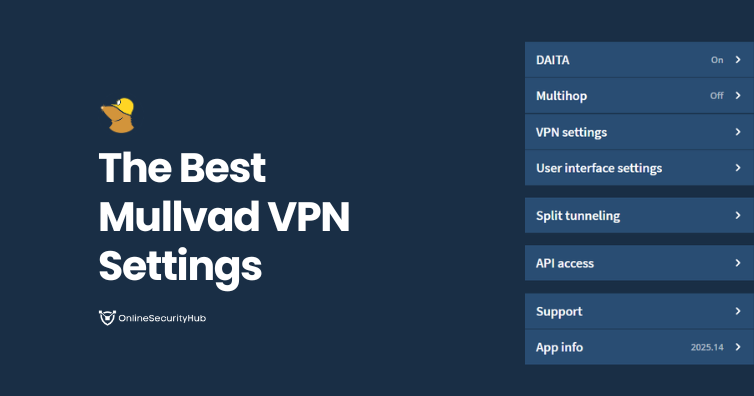
| Maximum privacy, flat price, everything included | Mullvad (see my roundup and settings guide) |
| Privacy plus daily use, with a free plan | Proton VPN (settings guide) |
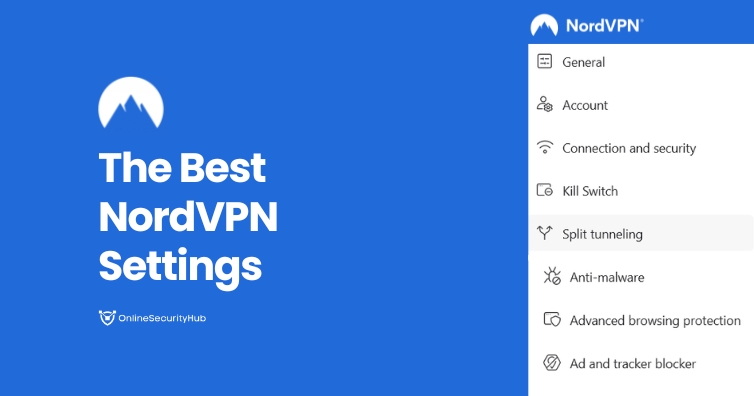
| Speed and streaming | NordVPN (review, settings guide) |
| Cheap, many devices | Surfshark (settings guide) |
For the full comparison, see my best VPN guide and VPN services directory.
12. Who IVPN is for
Pick IVPN if you care about not handing over personal details, you want audited, open-source apps, and you accept paying for it. Pick something else if you want streaming, port forwarding, a huge server list or the lowest price. If you do buy it, read my IVPN settings guide first, because several of the best settings are off by default.
FAQ
Is IVPN really no-logs?
IVPN says so, and Cure53 verified the claim in 2019. It has not had a newer no-logs audit and has said it will not commission one. It has also not been tested in court.
Can I sign up without an email address?
Yes. IVPN generates an Account ID, and you can pay with cash, Monero or Bitcoin.
Does IVPN work with Netflix?
I would not buy it for that. I say in my roundup that it is not built for streaming, and IVPN makes no streaming promises.
Does the price go up at renewal?
Not by IVPN's published plan pricing. Standard is $60 a year, with no introductory discount. Confirm at checkout.
Can I get my money back?
Yes, within 30 days, once per account, but not for cash or voucher payments.
Was my data exposed in the August 2026 incident?
IVPN says no customer data was accessed and that the VPN servers and customer database were not involved.
Tell me your devices and what you need in the comments and I will point you to the right VPN.
Comments 0
No comments yet. Questions, corrections and your own experience are all welcome.