

Compare all 15
Included or strongPartial or add-onNot available or weak
| Attribute |  Keeper Keeper |  Bitwarden Bitwarden |  1Password 1Password |  Proton Pass Proton Pass |  RoboForm RoboForm |  LastPass LastPass |  NordPass NordPass |  Dashlane Dashlane |  Apple Passwords Apple Passwords |  Google Password Mgr Google Password Mgr |  Enpass Enpass |  Sticky Password Sticky Password |  KeePassXC KeePassXC |  Norton PM Norton PM |  Zoho Vault Zoho Vault |
|---|---|---|---|---|---|---|---|---|---|---|---|---|---|---|---|
| Plan | Personal | Premium | Individual | Pass Plus | Premium | Premium | Premium | Advanced | Free | Free | Individual | Premium | Free | Free/Norton 360 | Standard |
| Cheapest Paid Plan (per month, billed yearly) | $4.37 | $1.65 | $3.99 | $2.99 | $2.49 ($0.99 first year) | $3 | $1.99 (1-yr, first term) | $4.99 | Free | Free | $1.99 | $3.33 | Free | Free | $0.90 |
| Ownership/Parent Company | Keeper Security Inc. | Bitwarden Inc. | AgileBits Inc. | Proton AG (Switzerland) | Siber Systems Inc. | LastPass | Nord Security | Dashlane Inc. | Apple Inc. | Google/Alphabet Inc. | Sinew Software Systems | Lamantine Software | Open Source Community | Gen Digital (NortonLifeLock) | Zoho Corporation |
| Encryption Algorithm | AES-256 | AES-256 | AES-256 | AES-256 | AES-256 | AES-256 | XChaCha20 | AES-256 | AES-256 | AES-256 | AES-256 + SQLCipher | AES-256 | AES-256/ChaCha20/Twofish | AES-256 | AES-256 |
| Encryption Strength | 256-bit | 256-bit | 256-bit | 256-bit | 256-bit | 256-bit | 256-bit | 256-bit | 256-bit | 256-bit | 256-bit | 256-bit | 256-bit | 256-bit | 256-bit |
| Zero-Knowledge Architecture | Yes | Yes | Yes | Yes | Yes | Yes | Yes | Yes | Yes | Yes | Yes | Yes | Yes | Yes | Yes |
| Security Audits | SOC 2 Type 2, ISO 27001/17/18, FedRAMP High | Cure53 (annual) | Multiple (Cure53, SOC2) | Cure53 | Secfault Security | Multiple | Cure53 | SOC2 Type II, ISO 27001 | Internal | Internal | No public audit | No public audit | Community reviewed | Internal | Regular third-party |
| Latest Audit Date | Annual pentests (reports under NDA) | 2025 (annual, public) | 2025 (SOC 2 + pentests, public) | 2024 (Cure53, public) | Feb 2025 | 2024 | Feb 2025 | 2025 (SOC 2 Type II) | N/A | N/A | N/A | None published | N/A | N/A | 2024 |
| Open Source | No | Yes (Full) | No | Yes (Full) | No | No | No | Partial (mobile) | No | No | Partial | No | Yes (Full) | No | No |
| Data Breach History | None | None | None (2023 Okta incident, no vault data) | None | None | Yes (2022 vault theft) | None | None | None | None | None | None | None | 2023 credential stuffing | None |
| Passkey Support | Yes | Yes | Yes | Yes | Yes | Yes | Yes | Yes | Yes | Yes | Yes | No | Via plugins | Yes | Yes |
| Passwordless Login | Yes | Yes | Yes | Yes | Yes | Yes | Yes | Yes | Yes | Yes | Yes | No | No | No | Yes |
| Unlimited Passwords (Free) | No (10 records only) | Yes | No free plan | Yes | Yes (1 device) | Yes (1 device type) | Yes | No (discontinued Sep 2025) | Yes | Yes | Yes (Desktop) | Yes (1 device) | Yes | Yes | Yes |
| Unlimited Devices (Free) | No (mobile only) | Yes | No free plan | Yes | No | No | No (1 device) | No | Yes (Apple devices) | Yes | No (25 items mobile) | No | Yes | Yes | Yes |
| Password Generator | Yes | Yes | Yes | Yes | Yes | Yes | Yes | Yes | Yes | Yes | Yes | Yes | Yes | Yes | Yes |
| Autofill | Yes | Yes | Yes | Yes | Yes | Yes | Yes | Yes | Yes | Yes | Yes | Yes | Via plugins/XC | Yes | Yes |
| Form Filling | Advanced | Basic | Yes | Basic | Yes | Yes | Basic | Yes | Yes | Yes | Yes | Yes | Via plugins | Yes | No |
| Secure Notes | Yes | Yes | Yes | Yes | Yes | Yes | Yes | Yes | Yes | No | Yes | Yes | Yes | Yes | Yes |
| Credit Card Storage | Yes | Yes | Yes | Yes | Yes | Yes | Yes | Yes | Yes (Apple Pay) | Yes (Google Pay) | Yes | Yes | Via custom fields | Yes | Yes |
| ID Document Storage | Yes | Yes | Yes | Yes | Yes | Yes | Yes | Yes | No | No | Yes | Yes | Yes | Yes | Yes |
| File Attachments | Yes (add-on) | Yes (Premium, 1GB) | Yes (1GB) | Yes (Plus, 10GB) | Yes | Yes (1GB) | Yes (Premium, 3GB) | Yes (1GB) | No | No | Yes | No | Yes | No | Yes |
| Emergency Access | Yes (add-on) | Yes | No | Yes (Plus) | Yes | Yes | Yes | Yes | No | No | No | Yes | No | No | Yes |
| Secure Sharing | Yes | Yes | Yes | Yes | Yes | Yes | Yes | Yes | Yes (AirDrop) | Yes (Family) | Yes | Yes | No | No | Yes |
| Password Health Check | Yes | Yes | Yes (Watchtower) | Yes | Yes | Yes | Yes | Yes | Yes | Yes | Yes | Yes | Via plugins | Yes | Yes |
| Dark Web Monitoring | Add-on ($19.99/yr) | No (Premium) | Yes (Watchtower) | Yes | Yes | Yes | Yes | Yes | No | No | No | Yes | No | With Norton 360 | Yes (Enterprise) |
| Data Breach Scanner | Yes | Yes | Yes | Yes | Yes | Yes | Yes | Yes | Yes | Yes (Checkup) | Yes | Yes | No | With Norton 360 | Yes |
| TOTP Authenticator | Yes | Yes | Yes | Yes | Yes | Yes | Yes | Yes | Yes | No | Yes | No | Via plugins/XC | No | Yes |
| Email Masking/Aliases | No | No | No | Yes (unlimited) | No | No | Yes | No | Yes (Hide My Email) | No | No | No | No | No | No |
| VPN Included | No | No | No | No | No | No | No | Yes (Premium) | No | No | No | No | No | With Norton 360 | No |
| Travel Mode | No | No | Yes (Travel Mode) | No | No | No | No | No | No | No | No | No | No | No | No |
| Offline Access | Yes | Yes | Yes | Yes | Yes | Yes | Yes | Yes | Yes | Partial | Yes (Local) | Yes | Yes (Local) | Yes | Yes |
| Windows | Yes | Yes | Yes | Yes | Yes | Yes | Yes | Yes | Yes (iCloud) | Yes (Chrome) | Yes | Yes | Yes | Yes | Web only |
| macOS | Yes | Yes | Yes | Yes | Yes | Yes | Yes | Yes | Yes | Yes (Chrome) | Yes | Yes | Yes (XC) | Yes | Web only |
| Linux | Yes | Yes | Yes | Yes | Yes | Yes | Yes | No | No | Yes (Chrome) | Yes | No | Yes (XC) | No | Web only |
| iOS | Yes | Yes | Yes | Yes | Yes | Yes | Yes | Yes | Yes | Yes | Yes | Yes | Via ports | Yes | Yes |
| Android | Yes | Yes | Yes | Yes | Yes | Yes | Yes | Yes | No | Yes | Yes | Yes | Via ports | Yes | Yes |
| Chrome Extension | Yes | Yes | Yes | Yes | Yes | Yes | Yes | Yes | Yes | Yes (built-in) | Yes | Yes | Via plugins/XC | Yes | Yes |
| Firefox Extension | Yes | Yes | Yes | Yes | Yes | Yes | Yes | Yes | No | No | Yes | Yes | Via XC | Yes | Yes |
| Safari Extension | Yes | Yes | Yes | Yes | Yes | Yes | Yes | Yes | Yes | No | Yes | Yes | No | Yes | Yes |
| Edge Extension | Yes | Yes | Yes | Yes | Yes | Yes | Yes | Yes | Yes | No | Yes | Yes | Via XC | Yes | Yes |
| Web Vault | Yes | Yes | Yes | Yes | Yes | Yes | Yes | Yes | iCloud.com | passwords.google.com | No | Yes | No | Yes | Yes |
| SSO Integration | Yes | Yes | Yes | Yes | Yes | Yes | Yes (Business) | Yes | No | Via Workspace | Yes | Yes | No | No | Yes |
| SCIM Provisioning | Yes | Yes | Yes | Yes | No | Yes | Yes (Enterprise) | Yes | No | No | No | No | No | No | Yes |
| Admin Console | Yes | Yes | Yes | Yes | Yes | Yes | Yes | Yes | No | Via Workspace | Yes | Yes | No | No | Yes |
| Activity Logs/Audit | Yes | Yes | Yes | Yes | Yes | Yes | Yes | Yes | No | Via Workspace | Yes | Yes | No | No | Yes |
| Role-Based Access | Yes | Yes | Yes | Yes | Yes | Yes | Yes | Yes | No | Via Workspace | No | Yes | No | No | Yes |
| Directory Integration | Yes | Yes | Yes | No | Yes | Yes | Yes | Yes | No | Via Workspace | No | No | No | No | Yes |
| Group Management | Yes | Yes | Yes | Yes | Yes | Yes | Yes | Yes | No | No | No | Yes | No | No | Yes |
| Custom Security Policies | Yes | Yes | Yes | Yes | Yes | Yes | Yes | Yes | No | No | No | No | No | No | Yes |
| Master Password | Yes | Yes | Yes | Yes | Yes | Yes | Yes | Yes | Yes | Google account | Yes | Yes | Yes | Yes | Yes |
| Biometric Login | Yes | Yes | Yes | Yes | Yes | Yes | Yes | Yes | Yes (Face/Touch ID) | Yes | Yes | Yes | No | Yes | Yes |
| Hardware Key (FIDO2/YubiKey) | Yes | Yes | Yes | Yes | Yes | Yes | Yes | Yes | Yes | Yes | Yes | No | Yes | No | Yes |
| Authenticator App 2FA | Yes | Yes | Yes | Yes | Yes | Yes | Yes | Yes | Yes | Yes | Yes | Yes | Via plugins | Yes | Yes |
| SMS 2FA | Yes | No | No | No | Yes | Yes | No | No | No | Yes | No | No | No | Yes | No |
| Email 2FA | Yes | Yes | No | No | Yes | Yes | Yes | No | No | Yes | No | Yes | No | Yes | Yes |
| Free Plan | Very limited | Yes (robust) | No | Yes (robust) | Yes (limited) | Yes (limited) | Yes (limited) | No (discontinued) | Fully free | Fully free | Desktop only | Yes (limited) | Fully free | Yes | Yes (robust) |
| Individual (Monthly) | Annual only | Annual only | $4.99 | $4.99 | Annual only | Annual only | Not sold (1-yr/2-yr only) | Annual only | Free | Free | Annual only | Annual only | Free | Free | $1 |
| Individual (Annual/mo) | $4.37 | $1.65 | $3.99 | $2.99 | $2.49 ($0.99 first year) | $3 | $1.99 (1-yr), $1.49 (2-yr) | $4.99 | Free | Free | $1.99 | $3.33 | Free | Free | $0.90 |
| Individual (billed per year) | $52.45 | $19.80 | $47.88 | $35.88 | $29.88 ($11.90 first year) | $36 | $23.88 first year | $59.88 | Free | Free | $23.99 (or $99.99 lifetime) | $39.99 (or $199.99 lifetime) | Free | Free | $10.80 |
| Renewal Price (Individual/yr) | $52.45 | $19.80 | $47.88 | $35.88 | $29.88 | $36 | $35.88 | $59.88 | Free | Free | $23.99 | $39.99 | Free | Free | $10.80 |
| Intro Discount vs Renewal | Promos to 50% off first year | None | None | Up to 50% off (promo) | 60% off first year | None | 33% off first year | Up to 50% off first year (promo) | N/A | N/A | Seasonal only | Lifetime often 60% to 80% off | N/A | N/A | None |
| Family Plan (Annual/mo) | $8.57 | $3.99 | $5.99 | $4.99 | $3.98 ($1.59 first year) | $4 | $3.69 (1-yr), $2.79 (2-yr) | $7.49 | Free | Free | $3.99 | N/A | Free | N/A | N/A |
| Family Users | 5 | 6 | 5 | 6 | 5 | 6 | 6 | 10 | N/A | N/A | 6 | N/A | N/A | N/A | N/A |
| Teams/Business (per user/mo) | $3.75 ($2 Starter) | $4 (Teams), $6 (Enterprise) | $7.99 | $1.99 (Essentials) | $3.33 | $4.25 (Teams), $7 (Business) | $1.79 (Teams), $3.59 (Business) | $8 ($4 Credential Protection) | N/A | Via Workspace | $2.99 ($9.99/mo flat for 10 users) | $2.50 | Free | N/A | $0.90 to $7.20 |
| Enterprise Plan | Yes | Yes | Yes | Yes | Yes | Yes | Yes | Yes | No | Via Workspace | Yes | Yes | Free | No | Yes |
| Money-Back Guarantee | 30-day trial (no refund) | None (free tier instead) | 14-day trial | 30 days | 30 days | 30 days | 30 days | 30 days (14-day trial) | N/A | N/A | Free tier; 30-day business trial | 30 days | N/A | 60 days | 15-day trial |
| Price Last Verified | Sep 4, 2026 | Sep 4, 2026 | Sep 4, 2026 | Sep 4, 2026 | Sep 4, 2026 | Sep 4, 2026 | Sep 4, 2026 | Sep 4, 2026 | Sep 4, 2026 | Sep 4, 2026 | Sep 4, 2026 | Sep 4, 2026 | Sep 4, 2026 | Sep 4, 2026 | Sep 4, 2026 |
| Import from Browsers | Yes | Yes | Yes | Yes | Yes | Yes | Yes | Yes | Yes | Yes | Yes | Yes | Via plugins | Yes | Yes |
| Import from Other PMs | Yes | Yes | Yes | Yes | Yes | Yes | Yes | Yes | Yes | Yes | Yes | Yes | Yes | Yes | Yes |
| Export Options | Multiple | Multiple | Multiple | CSV | Multiple | Multiple | CSV | Multiple | CSV | CSV | Multiple | Multiple | Multiple | CSV | Multiple |
| Self-Hosting Option | No | Yes | No | No | Yes (local) | No | No | No | No | No | Yes (Local only) | No | Yes (Local only) | No | No |
| 24/7 Support | Yes (Business) | No | No | No | Yes | No | No | Yes | Yes | Yes | No | No | No | Yes | No |
| Live Chat | Yes | No | No | No | Yes | No | Yes | Yes | Yes | No | No | Yes | No | Yes | No |
| Phone Support | Yes (Business) | No | No | No | Yes | No | No | No | Yes | No | No | No | No | Yes | No |
| Email Support | Yes | Yes | Yes | Yes | Yes | Yes | Yes | Yes | Yes | Yes | Yes | Yes | Community | Yes | Yes |
| Knowledge Base | Yes | Yes | Yes | Yes | Yes | Yes | Yes | Yes | Yes | Yes | Yes | Yes | Yes | Yes | Yes |
| TrustPilot | 4.2/5 | 4.1/5 | 4.5/5 | 4.5/5 | 4.6/5 | 1.6/5 | 4.0/5 | 4.3/5 | N/A | N/A | 3.8/5 | 4.2/5 | N/A | 3.5/5 | 4.0/5 |
| G2 Rating | 4.6/5 | 4.6/5 | 4.7/5 | 4.4/5 | 4.5/5 | 4.4/5 | 4.5/5 | 4.5/5 | N/A | N/A | 4.2/5 | 4.0/5 | 4.5/5 | 4.0/5 | 4.4/5 |
| Capterra | 4.6/5 | 4.7/5 | 4.7/5 | 4.5/5 | 4.6/5 | 4.3/5 | 4.6/5 | 4.5/5 | N/A | N/A | 4.3/5 | 4.3/5 | 4.5/5 | 4.0/5 | 4.5/5 |
| Founded/Launched | 2011 | 2016 | 2006 | 2023 | 2000 | 2008 | 2019 | 2012 | 2011/2024 | 2015 | 2014 | 2001 | 2003 | 2016 | 2013 |
| Headquarters | Chicago, IL | Santa Barbara, CA | Toronto, Canada | Geneva, Switzerland | Fairfax, VA | Boston, MA | Panama/Lithuania | Paris, France / NYC | Cupertino, CA | Mountain View, CA | India | Czech Republic | Germany (original) | Tempe, AZ | Chennai, India |
| Users (Estimated) | 1M+ | 10M+ | 15M+ | 2M+ (Pass) | 6M+ | 30M+ | 15M+ | 15M+ | Millions | Millions | Unknown | 2M+ | Unknown | Unknown | 100K+ teams |
| Common Complaint #1 | Add-ons increase cost | UI less polished | No free plan | Newer product | UI dated | 2022 data breach | Free plan single device | Higher price point | Apple ecosystem only | Chrome-centric | No cloud backup option | No Linux support | Steep learning curve | Basic features | No desktop app |
| Common Complaint #2 | Repriced twice in 2026 (now $52.45/yr) | Premium doubled to $19.80 (Jan 2026) | Price up 33% (Mar 2026) | 2FA and sharing need Plus | Fewer advanced features | ICO £1.2M fine (2025) | Dual login process | Free plan discontinued | Limited cross-platform | Privacy concerns | Mobile limitations | Less modern UI | No cloud sync built-in | Upsells to Norton 360 | UI outdated |
| Common Complaint #3 | US jurisdiction | Limited customer support | No phone support | No live chat | Less known brand | Ongoing crypto theft linked | No phone support | No Linux app | Fewer advanced features | No secure notes | No public audits | Smaller brand awareness | UI not modern | No password sharing | Can't import Safari |
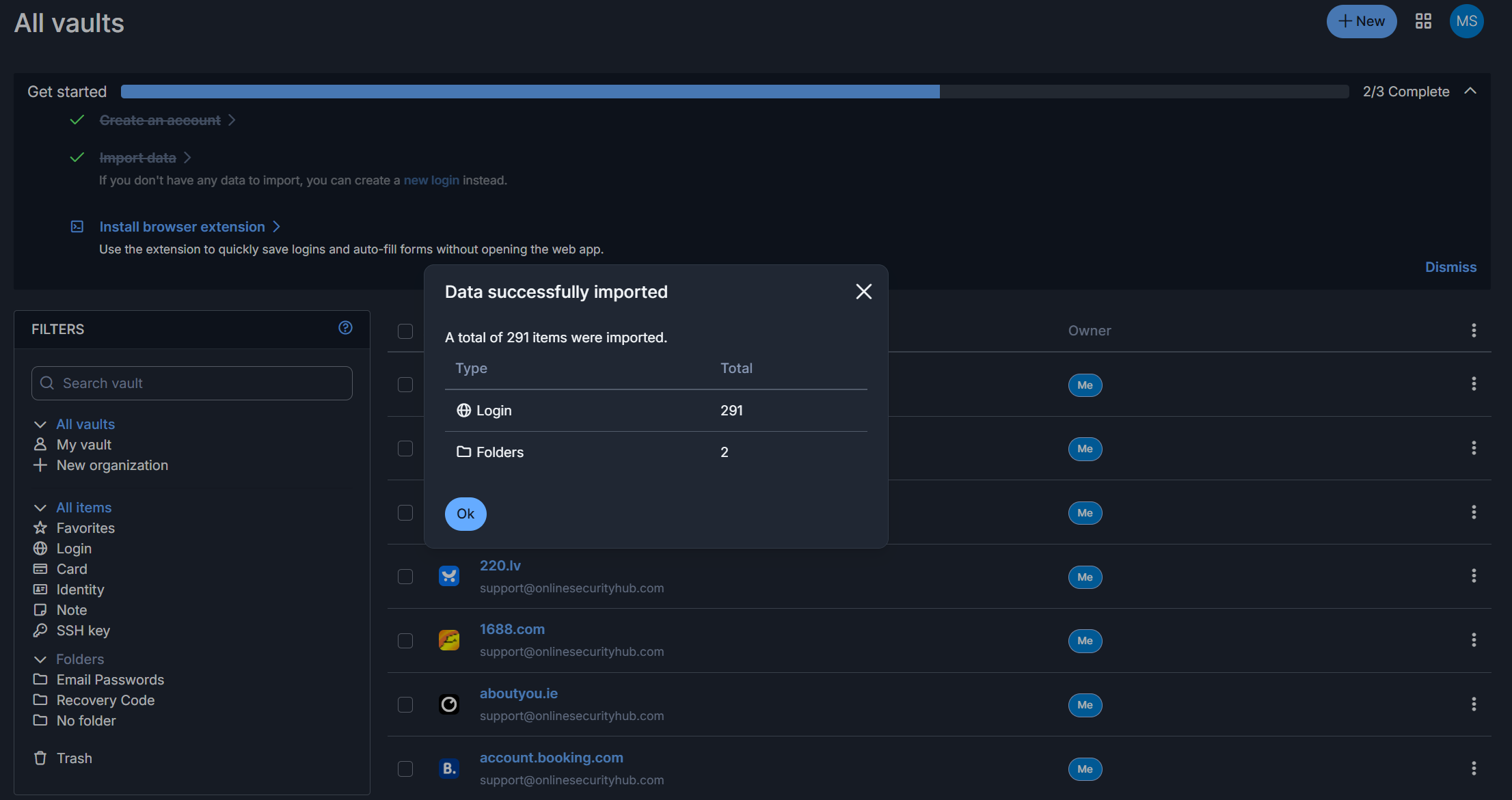
- Keeper is the one I use, and I switched to it in 2021 after testing Bitwarden, 1Password and LastPass. It is not the cheapest option, but the built-in TOTP authenticator and the autofill reliability are why I stayed. When I log into a site with 2FA enabled, Keeper fills the password and the six-digit code, or the passkey if the site supports it. The browser extension scans 2FA QR codes directly from the desktop instead of making you reach for your phone. Keeper was among the first managers to implement passkey storage protected by biometrics or a PIN across platforms. One-Time Share lets you send a credential to someone who does not have a Keeper account, offline access works without a connection, and the company holds SOC 2 and ISO 27001 with zero security incidents in its history. EU data centres are now available, which matters if you want your vault inside GDPR jurisdiction rather than under US law. The downsides are real: BreachWatch dark web monitoring costs an extra $20 a year and should be included in paid plans, the code is closed source so you cannot audit it yourself, there is no email alias feature, and it is a US company even with EU storage. If you want one thing that works every day without you thinking about it, this is the one.
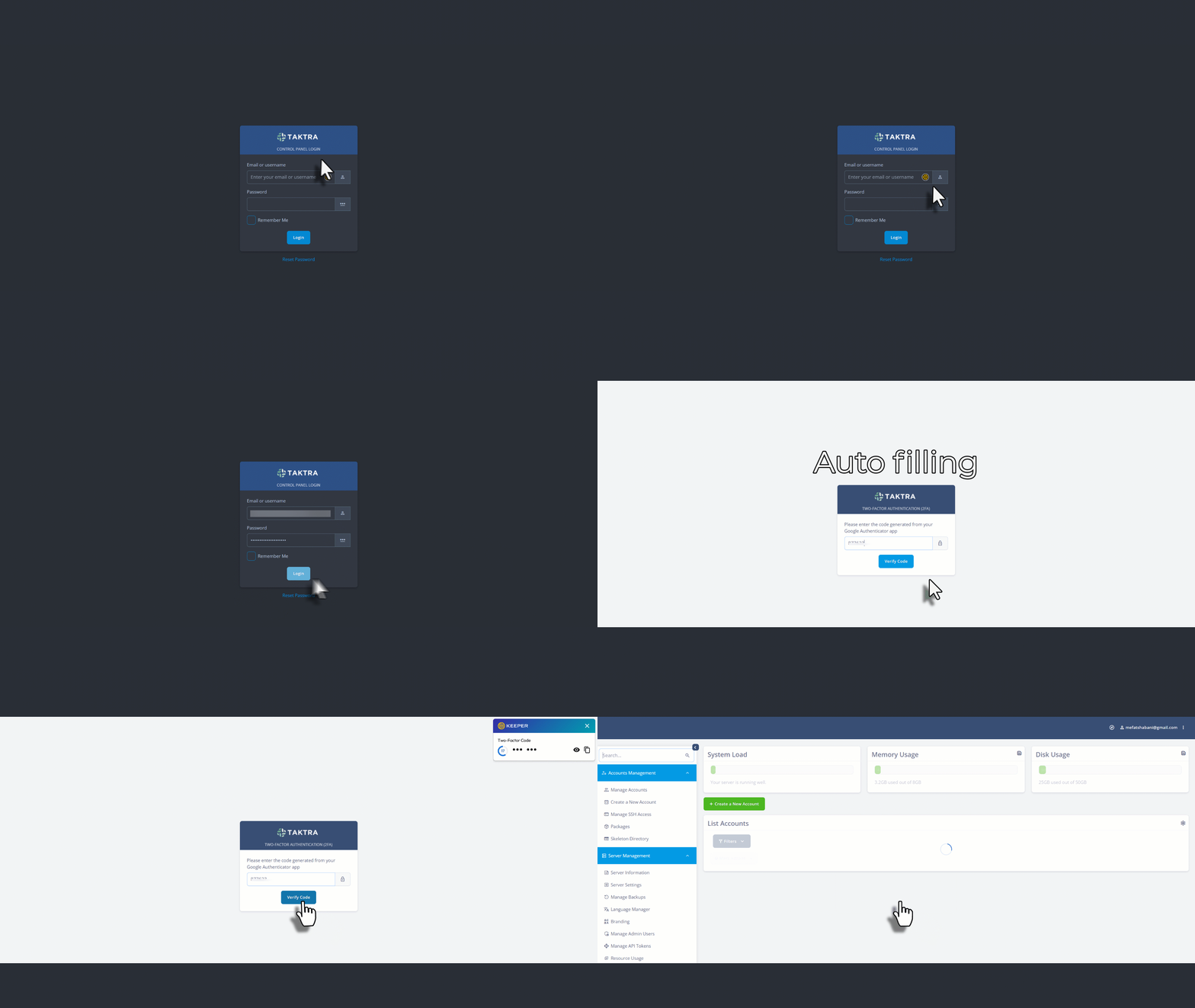
- Bitwarden changed my mind about free password managers. The free tier gives you unlimited passwords on unlimited devices, which nothing else matches. I imported 291 passwords from NordPass in about 40 seconds. The interface looks dated next to Keeper or 1Password, but it is fully functional, and the search stays fast with hundreds of entries. What matters more is that Bitwarden is completely open source, with regular third-party audits from Cure53, so the security claims are verifiable rather than asserted. Folders and collections handle the separation between personal and work accounts without paying extra, the password generator does passphrases as well as random strings, and self-hosting is available if you want full control. Premium is $10 a year, cheaper than every competitor. The problems are autofill bugs on Android and Chromium browsers, no dark web monitoring on the free plan, and US jurisdiction, though Bitwarden does maintain data processing agreements and lets you choose a server region. If you are not going to pay for a password manager, use this one and stop looking.
- 1Password is the most polished product in this list and the only reason I would recommend it over Bitwarden is Travel Mode. It temporarily removes sensitive vaults from your devices when you cross a border, so if customs asks you to unlock your phone, the work credentials are not there to find. That is genuinely useful and nobody else does it properly.
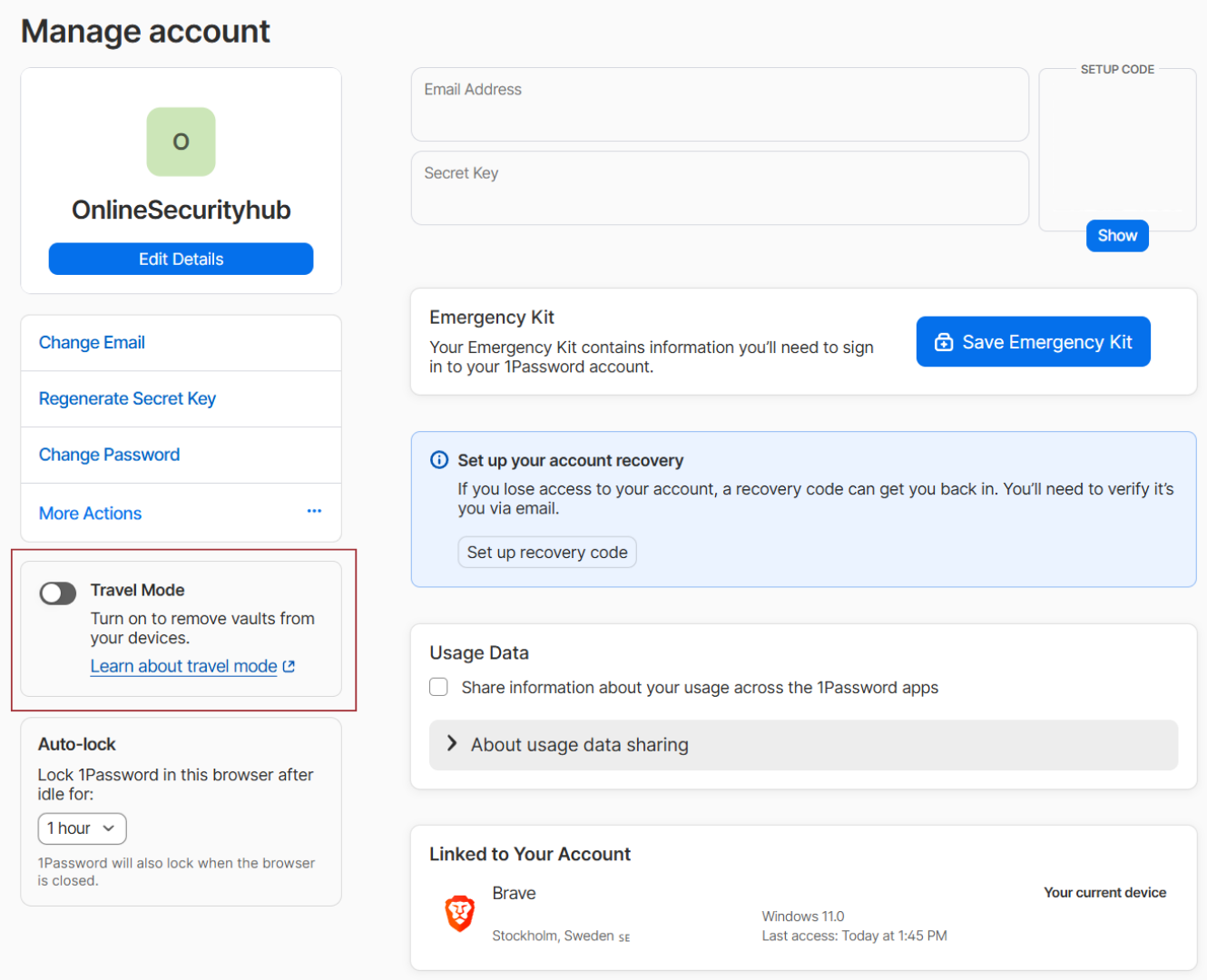
Watchtower monitors password health and breach exposure, autofill is reliable across platforms, and the family plan at $4.49 a month for five users is fair value. Past that, my enthusiasm runs out. The email alias feature only works with Fastmail, which makes it useless unless you are already a Fastmail customer, and Proton Pass gives you unlimited aliases with any email setup. The Secret Key requirement for new device logins is a hassle to store safely. There is no free plan at all, only a 14-day trial. The company is in Canada, a Five Eyes country. You are paying more than Bitwarden for polish rather than function, and for daily use I still prefer Keeper’s TOTP handling. - Proton Pass comes from the company behind ProtonMail and ProtonVPN, and Swiss jurisdiction gives it stronger legal protection than any US-based alternative. The standout feature is unlimited hide-my-email aliases. You generate a unique address for every signup, and if that site is breached or sells your data, you disable the alias and the spam stops. The Pass plus SimpleLogin lifetime deal at $199 never expires, which is good value if aliases are your priority. It is open source and audited, and a July 2025 Cure53 audit found only a low-severity issue where locked vaults kept passwords in memory for up to 30 minutes on Firefox, which Proton fixed immediately. The problem I hit in testing was site compatibility. Some websites refuse to work with Proton Pass at all, mainly financial and e-commerce sites, which are exactly the logins where you want autofill working. Keeper handles those same sites, and where neither manager can see the login fields, Keeper at least gives you a button to force the credentials in. Proton Pass has no fallback, and support requests about site compatibility have taken months. You also cannot create custom sections or extra fields. If privacy and aliases are your main concern, it is worth it. If not, the others are better daily drivers.
- RoboForm has been around since 1999 and it fills complex forms better than anything else I have tested apart from Keeper. Government forms, insurance applications, multi-field checkouts with separate shipping and billing addresses: it gets them right where 1Password, NordPass and Bitwarden all stumble. If you regularly deal with tax documents, medical paperwork, visa applications or job applications, that alone justifies it despite the dated interface. TOTP is built in, local-only storage is available if you do not want cloud sync, and the Security Center flags weak and reused passwords. The history is worth knowing. In 2014 RoboForm was encrypting and decrypting server-side, the client-side JavaScript had bias in its random number generator, the TLS configuration was vulnerable to POODLE, and SSL Labs rated them a C. That was bad. They rebuilt the architecture, removed server-side decryption, and the security model now matches modern competitors. I mention it because they responded to criticism rather than ignoring it, which is more than most vendors do. The remaining downsides are a clunky mobile app, limited sharing, no email aliases and no dark web monitoring on lower plans.